06 — Multi-chain Swap

A cross-chain swap experience designed to give confidence, not to confuse.

Overview

A self-custodial cross-chain swap that hides the bridges, gas tokens, and wrapped assets.

Most users give up trying to swap across chains: the steps require knowing what a bridge is, having a gas token on the destination network, and understanding wrapped assets. I led the design end-to-end from benchmarking and flow, through visual system and Rive animation to make one screen do the work of five.

Chain abstraction

Tokens unified across networks. The chain becomes a detail, not a decision.

In every other wallet, ETH on Ethereum and ETH on Arbitrum show up as two different rows. Users have to know they're "the same token on different networks" before they can do anything. I unified them: one ETH row, with chain badges quietly switching underneath. Users pick what they want and how much. The network routing happens in the background.

Progressive disclosure

Slippage, gas, price impact. There if you need them, invisible if you don't.

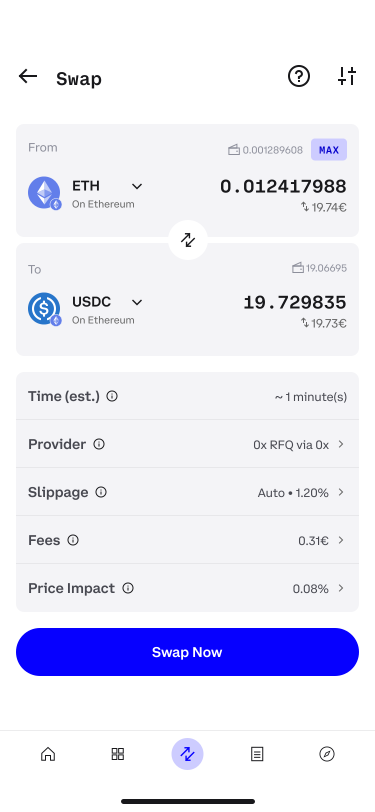
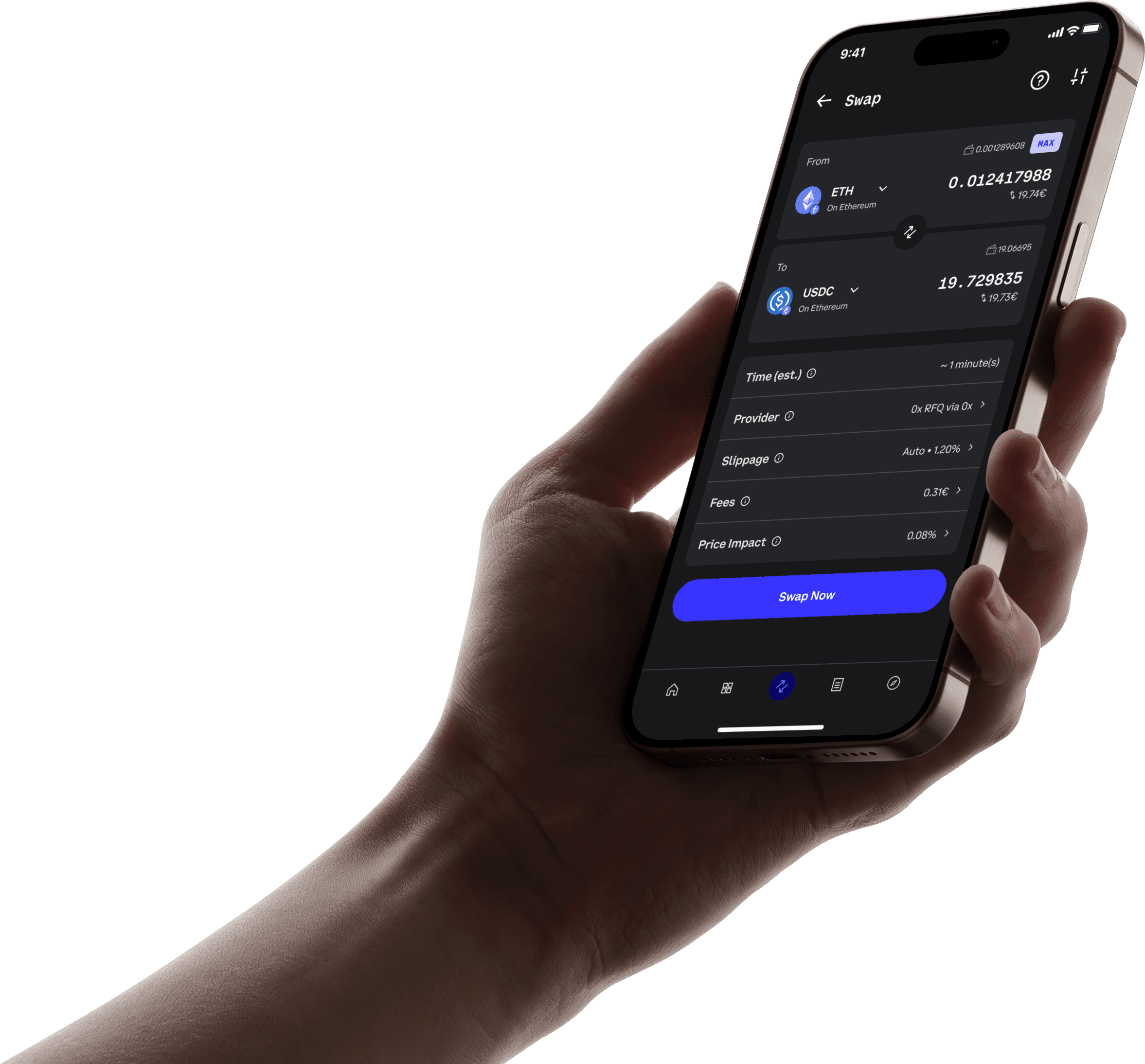
The swap details screen shows the essentials by default: time, provider, slippage, fees, price impact. Each one has an info icon. Tap it and a bottom sheet slides up explaining what it is and why it matters. Experts get fast confirmation; beginners get the lesson at the exact moment they care.

Processing

Replacing the loading spinner with something users actually want to watch.

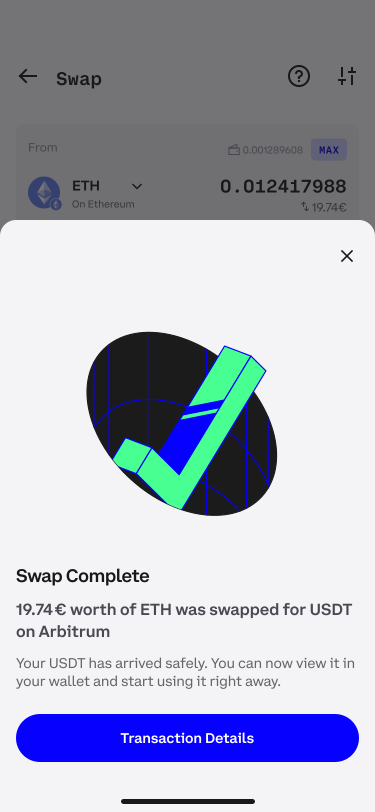
Cross-chain swaps take 30 seconds to a few minutes. It's the longest, most anxious moment in the flow. A spinner here makes users wonder if it's broken. So I replaced it with a custom Rive animation: the token rotating between two arrows, sized large enough to feel like reassurance rather than feedback. Calm motion at the exact moment users need to feel something is working.

Edge cases as teaching moments

When something can't work, explain why and offer the next best option.

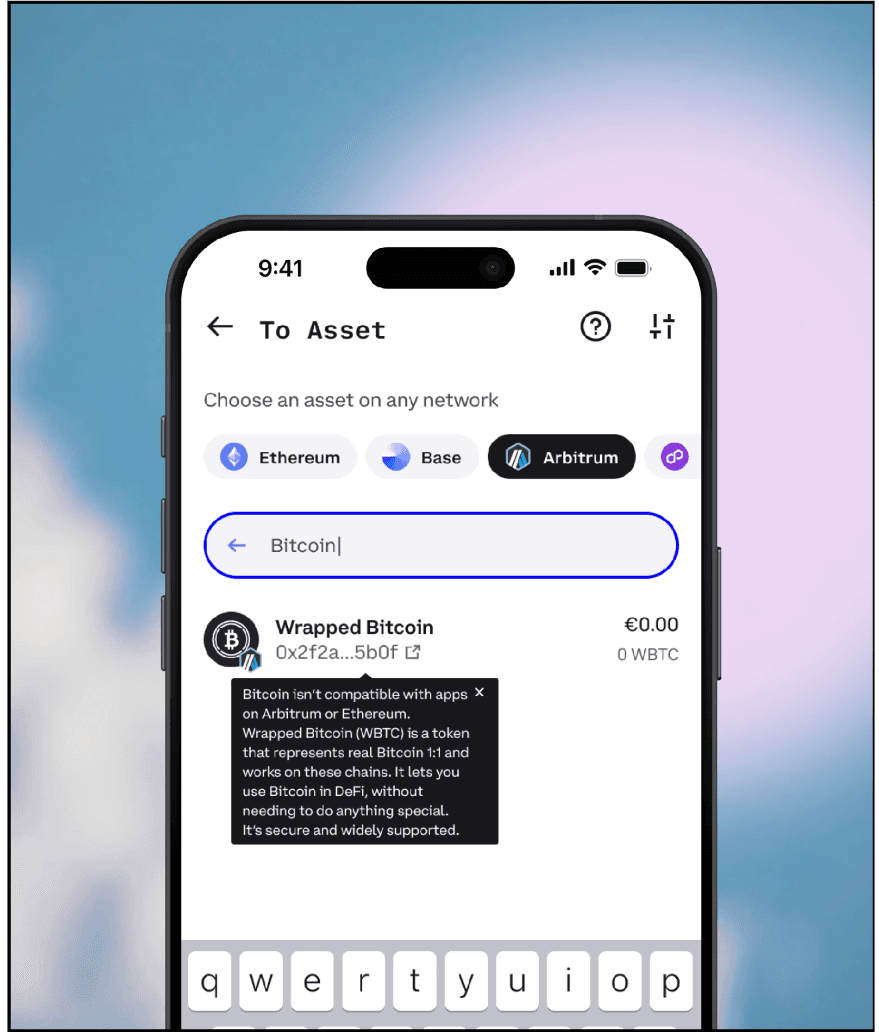
Search for Bitcoin on Arbitrum and most wallets show an empty state. I show Wrapped Bitcoin; 1:1 pegged to BTC, native to Arbitrum with a short explanation of what that means. The dead end becomes a path forward. Same pattern for insufficient gas (suggest bridging a small amount), slippage cancellation (explain it protected the user), and unsupported chains.

Chain abstraction

Tokens unified across networks. The chain becomes a detail, not a decision.

In every other wallet, ETH on Ethereum and ETH on Arbitrum show up as two different rows. Users have to know they're "the same token on different networks" before they can do anything. I unified them: one ETH row, with chain badges quietly switching underneath. Users pick what they want and how much. The network routing happens in the background.

Progressive disclosure

Slippage, gas, price impact. There if you need them, invisible if you don't.

The swap details screen shows the essentials by default: time, provider, slippage, fees, price impact. Each one has an info icon. Tap it and a bottom sheet slides up explaining what it is and why it matters. Experts get fast confirmation; beginners get the lesson at the exact moment they care.

Processing

Replacing the loading spinner with something users actually want to watch.

Cross-chain swaps take 30 seconds to a few minutes. It's the longest, most anxious moment in the flow. A spinner here makes users wonder if it's broken. So I replaced it with a custom Rive animation: the token rotating between two arrows, sized large enough to feel like reassurance rather than feedback. Calm motion at the exact moment users need to feel something is working.

Edge cases as teaching moments

When something can't work, explain why and offer the next best option.

Search for Bitcoin on Arbitrum and most wallets show an empty state. I show Wrapped Bitcoin; 1:1 pegged to BTC, native to Arbitrum with a short explanation of what that means. The dead end becomes a path forward. Same pattern for insufficient gas (suggest bridging a small amount), slippage cancellation (explain it protected the user), and unsupported chains.

P

L

U

T

O

9:41

9:41

9:41

Dark theme

A dark theme was the natural next step. I led interaction and visual design, tuning the vibrant palette to stay readable in low light without losing its character.